What PrintWatch Does
Features Built for IT Teams
Practical tools for monitoring, alerting, and reporting across your entire printer fleet running fully on-premise, no cloud dependency required.
Core Monitoring
Real-Time Printer Status
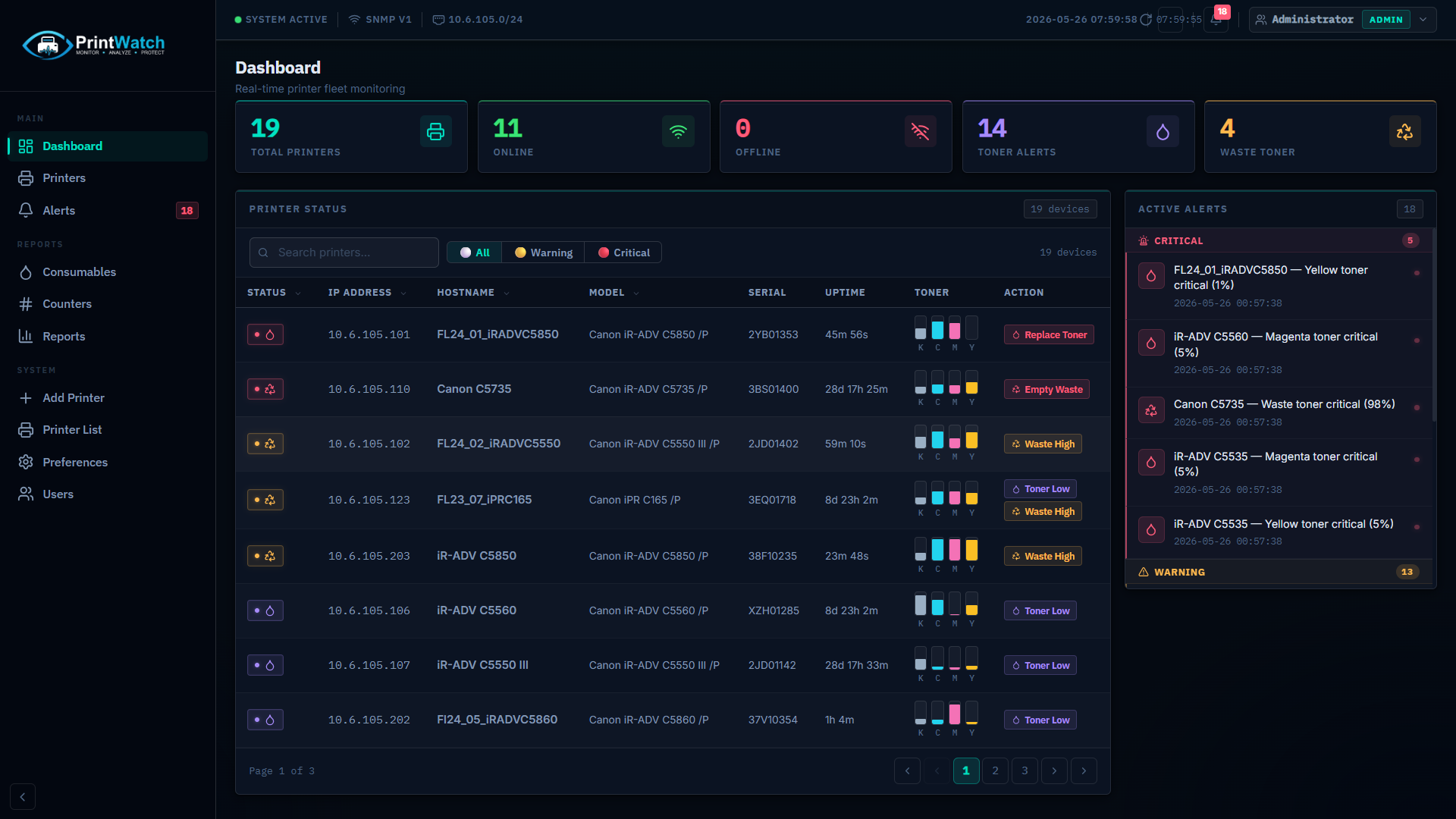
PrintWatch polls every printer on your network and displays live status Online, Offline, or Idle across all devices. The dashboard updates automatically so you always see the current state of your fleet without manual refresh.
- Compatible with most network-capable printers across all major brands
- Configurable polling interval from 30 seconds to 5 minutes depending on fleet size
- Status history retained locally no cloud storage required
- Works across VLANs and subnets as long as printers are reachable on the network
Alerts
Email & Teams Alerts
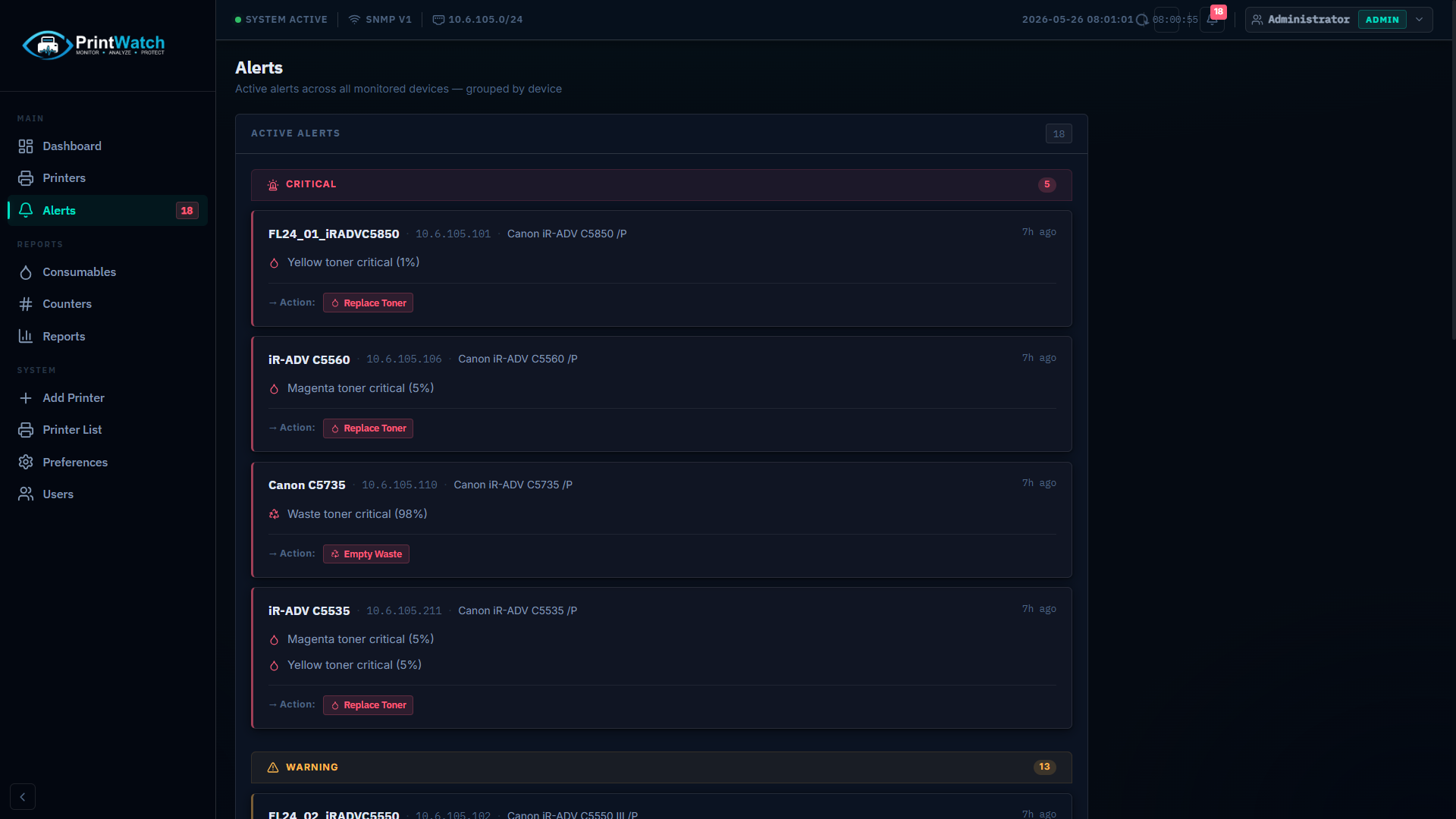
Get notified when a printer goes offline, toner drops below a threshold, or a paper jam is detected. Alerts are delivered by email or Microsoft Teams webhook no additional app required on the receiving side.
- Alert conditions: offline, low toner, paper jam, hardware error
- Per-printer alert rules set different thresholds for different devices
- Email delivery via SMTP works with Exchange, Office 365, or any mail server
- Microsoft Teams webhook integration for channel notifications
Reliability
Offline Detection & History
PrintWatch records when each printer goes offline and for how long. This gives IT teams accurate data for troubleshooting recurring issues, identifying unreliable hardware, and producing availability reports.
- Timestamped offline events stored in local database
- Duration tracking see exactly how long each outage lasted
- Filter event history by printer, date range, or status type
- Exportable to CSV for maintenance or audit reports
Reporting
Usage & Counter Reports
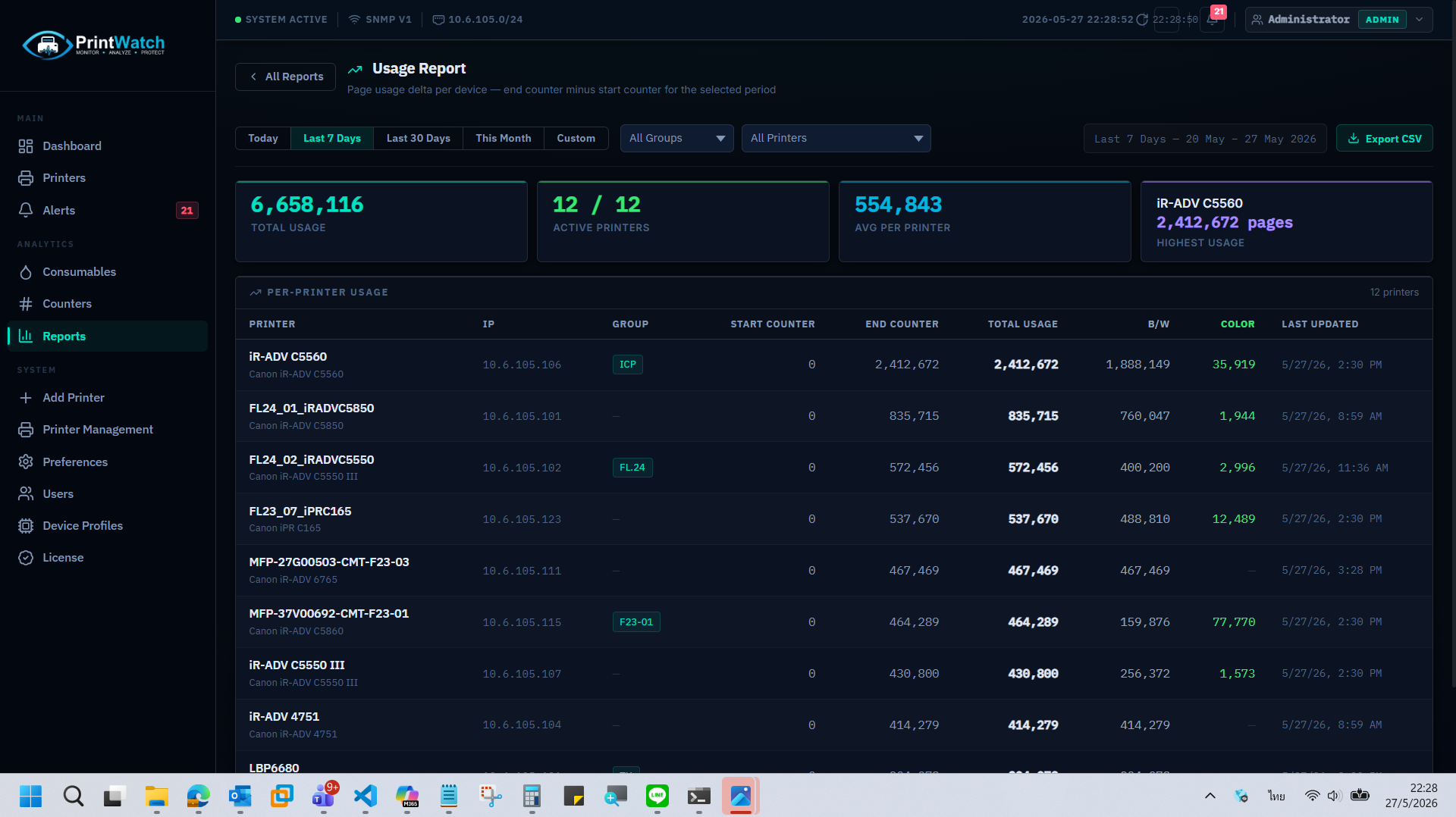
Track page counts, colour vs mono usage, and duplex ratios per printer over time. Reports help justify hardware replacements, identify over- or under-utilised devices, and calculate cost-per-page across your fleet.
- Periodic counter snapshots daily, weekly, or custom intervals
- Breakdown by total pages, colour, mono, duplex, and scan counts
- Export to CSV compatible with Excel and reporting tools
- Scheduled report delivery by email (Starter+ plans)
Consumables
Toner & Consumables Monitoring
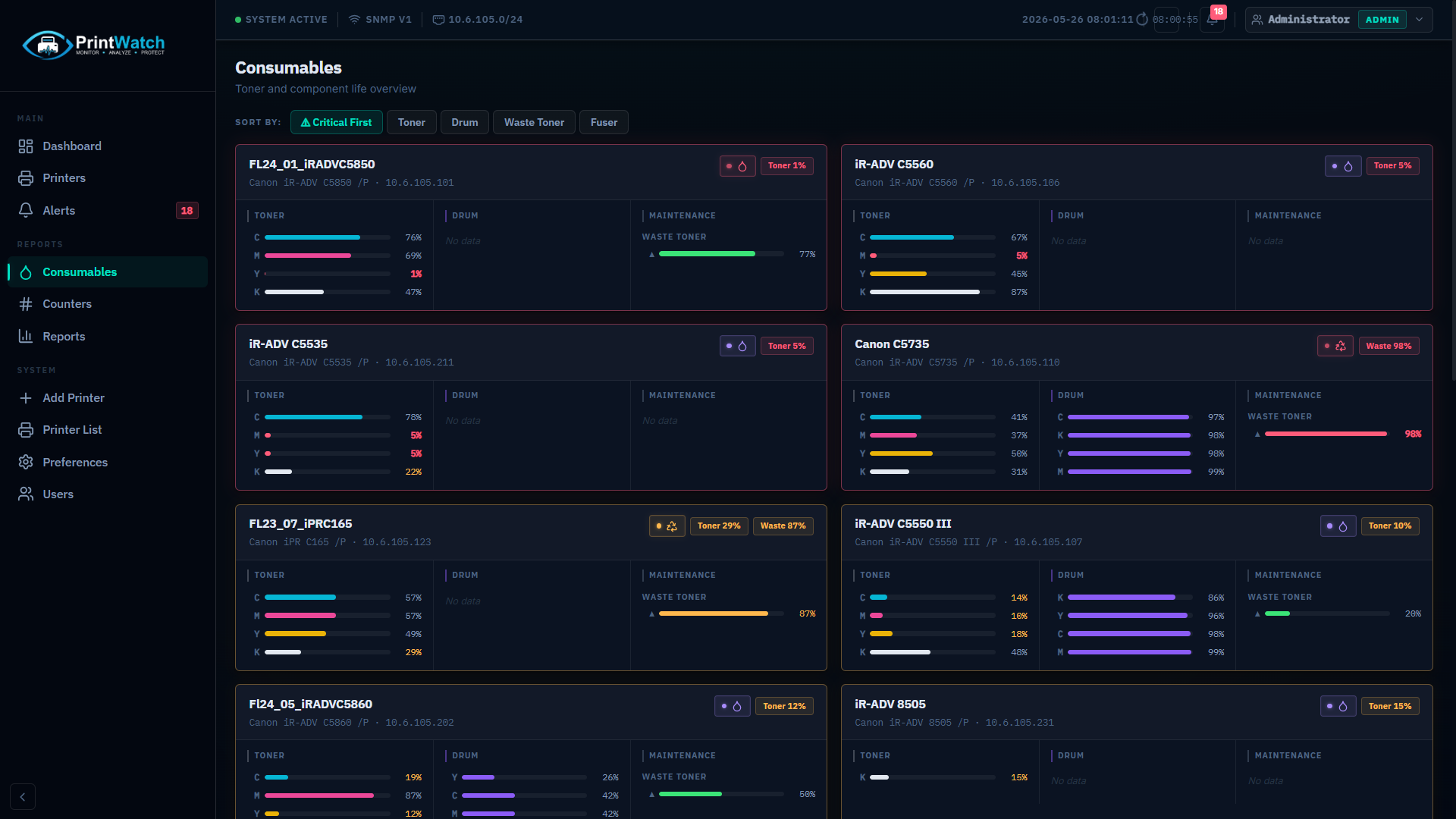
Monitor toner levels for every cartridge slot (C, M, Y, K) and other consumables such as drums and maintenance kits. Set low-toner thresholds so you receive an alert before a printer runs out mid-job.
- Per-cartridge level display Cyan, Magenta, Yellow, Black
- Visual bar indicators with percentage remaining
- Configurable alert threshold per cartridge type
- Drum and maintenance kit monitoring where supported by the device
Scalability
Multi-Branch & Location Grouping
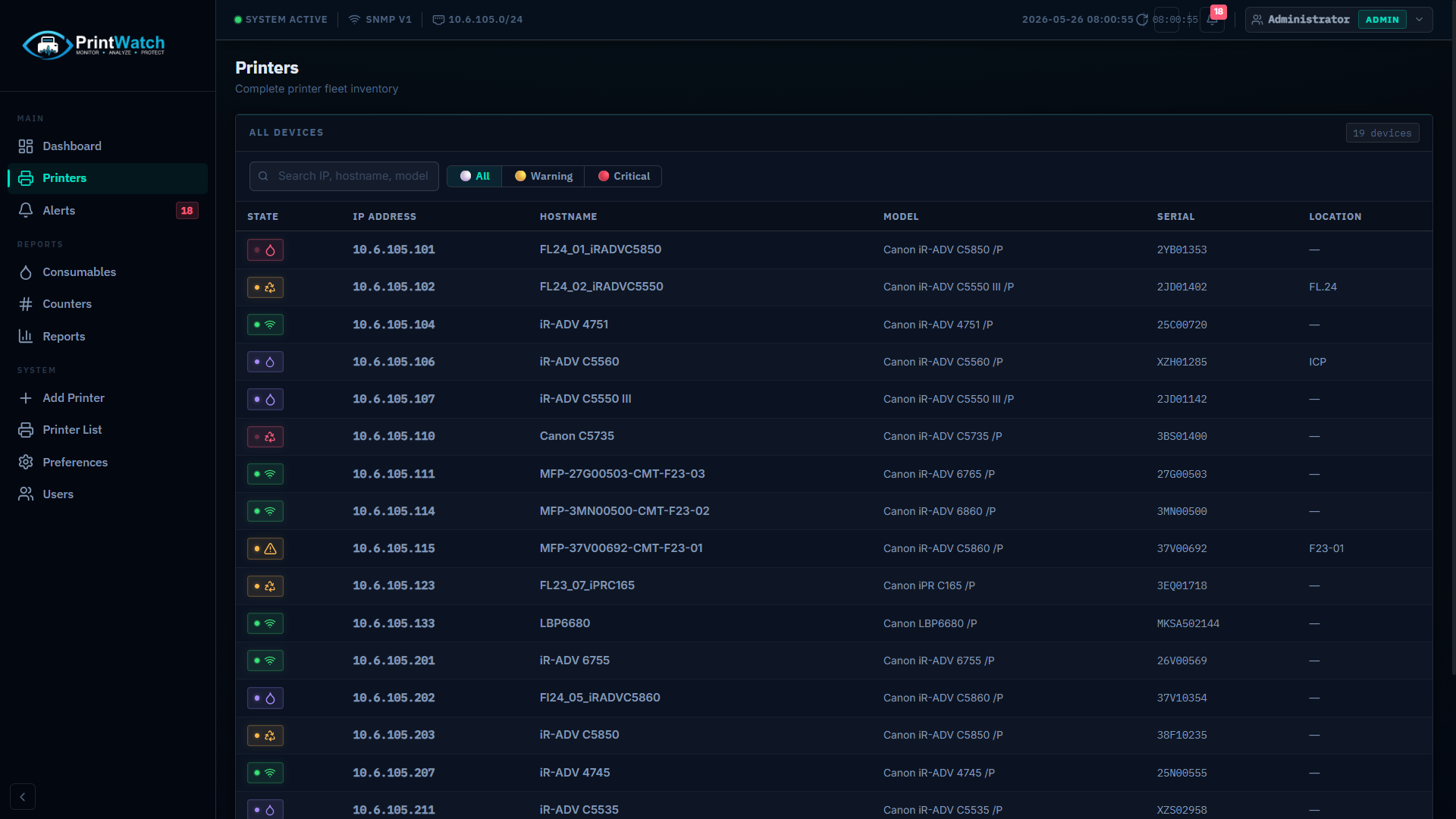
Organise printers by location, floor, or department using the group system. Filter the dashboard per group, assign alert recipients per location, and produce per-branch usage reports for larger organisations.
- Unlimited location groups organise by branch, building, or department
- Filter dashboard view by group for focused monitoring
- Per-group report export useful for per-branch billing or reporting
- Assign different alert recipients per group
Setup
Automatic Device Discovery
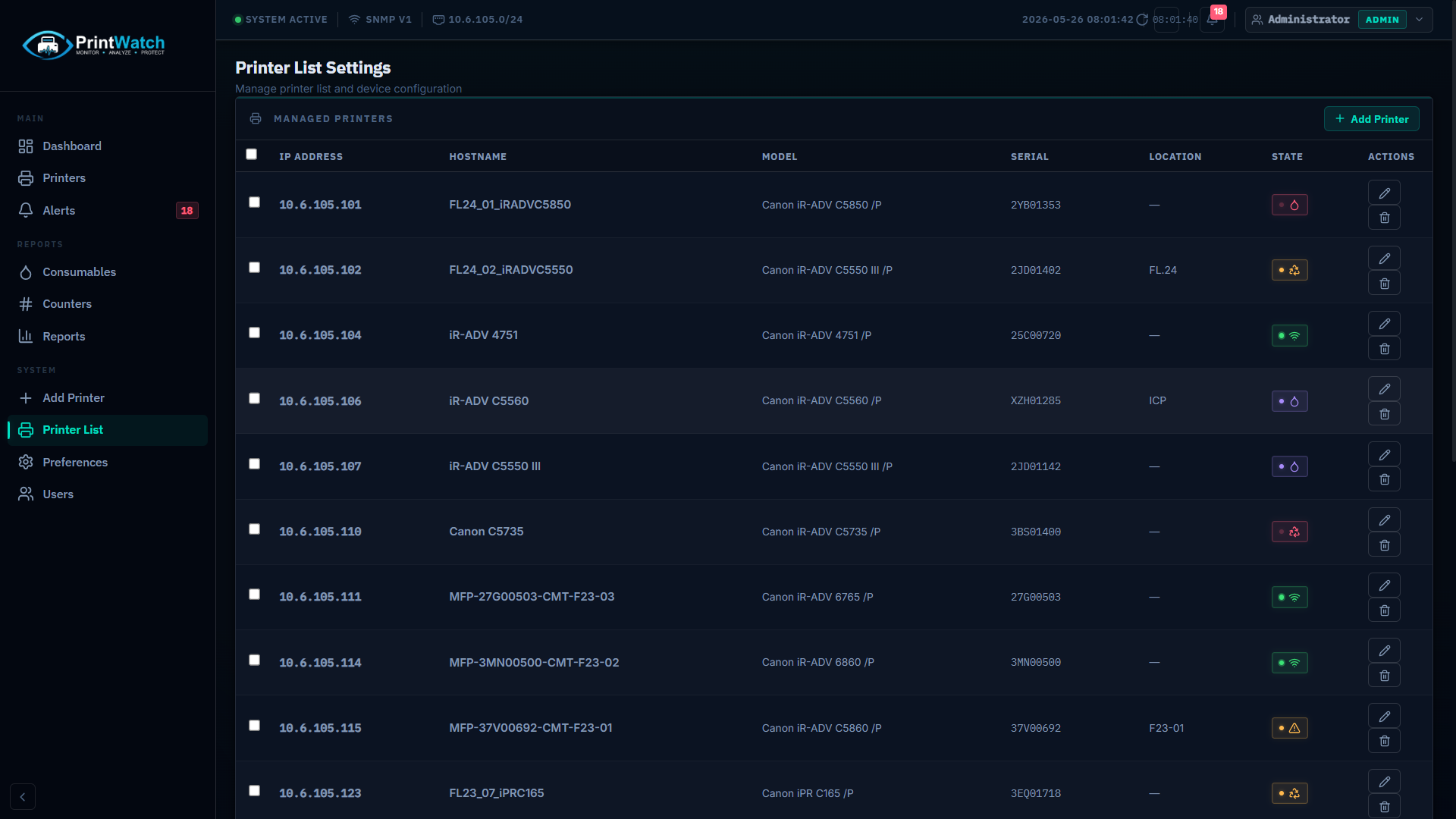
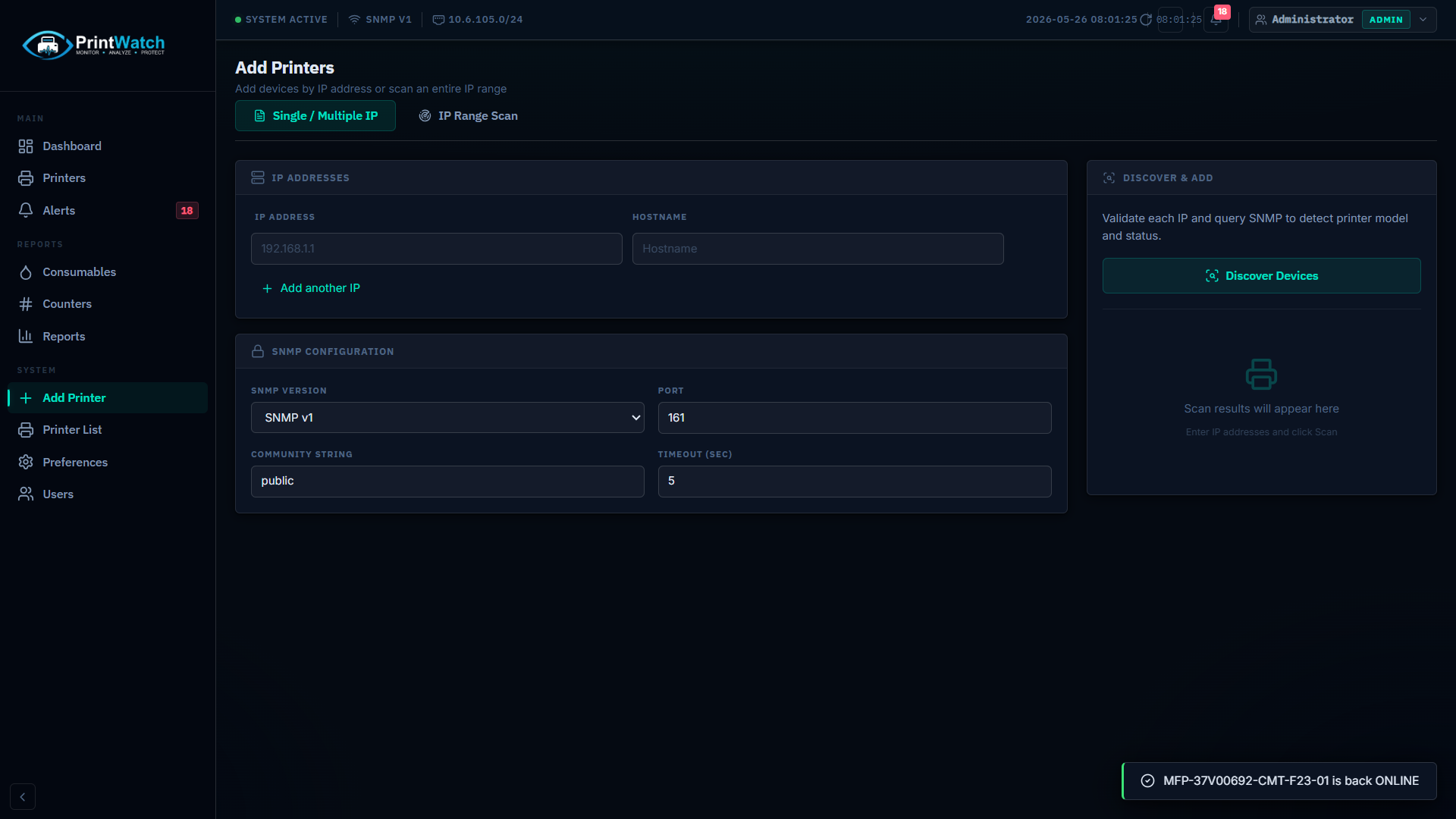
Scan an IP range and PrintWatch will automatically identify any printers connected to your network. Discovered devices are imported directly into the dashboard no need to add each printer manually.
- Subnet scan specify an IP range or individual subnets to scan
- Auto-detects manufacturer, model name, and serial number
- Discovered printers ready to monitor immediately
- Manual add option also available for printers on isolated segments
Overview
Centralized Dashboard
A single browser-based interface gives your IT team a complete view of the printer fleet. The dashboard is served locally from the PrintWatch service and accessible from any machine on the network no VPN or cloud portal required.
- Browser-based works in Chrome, Edge, and Firefox on any OS
- Role-based access control limit view or edit permissions per user (Enterprise+)
- Multi-user login team members access the same dashboard simultaneously
- Responsive layout usable on tablets and mobile devices
See It Running on Your Network
Download the free Community edition or request a trial license for paid features. Installation takes less than 10 minutes.